GPL Ghost Script is the familiar search phrase for Ghostscript, a long-running PostScript and PDF interpreter that now ships under AGPL or commercial licensing, depending on how you use it.
If you have been wondering what GPL Ghost Script actually is, the cleanest answer is that it is Ghostscript, an interpreter for PostScript and PDF files that has been maintained for decades and is still actively developed today. The official site describes it as a tool for printing, conversion, and workflow automation, while the documentation says it is an interpreter for PostScript language and PDF files with a graphics library underneath. That makes GPL Ghost Script a practical engine, not just a library name you see in old documentation.
The reason people still search for GPL Ghost Script is historical. Older release pages used the GPL Ghostscript name, but the current official licensing pages now say Ghostscript is available under an open-source AGPL license and a commercial license. That naming shift can be confusing if you are reading older blog posts, package notes, or Linux distribution references, so the first thing to understand is that GPL Ghost Script is the older search phrase, while Ghostscript is the current project name.
What GPL Ghost Script is really for
At a practical level, GPL Ghost Script is used to interpret page description languages and render them into output you can view, print, or convert. The official site says Ghostscript is a PostScript and PDF interpreter, and the features page highlights conversion capability for PostScript to PDF conversion along with rendering support. In plain language, GPL Ghost Script helps software understand document pages and turn them into something a printer, a screen, or another application can use.
That is why GPL Ghost Script shows up in print workflows, document pipelines, PDF processing, and legacy publishing systems. It is not a modern office suite and it is not a PDF editor in the usual consumer sense. Instead, it acts like a translation engine for page languages. The official FAQ describes it as a high-performance PostScript and PDF interpreter and rendering engine, which is the best mental model for understanding where it fits.
A useful way to think about GPL Ghost Script is this: if a system needs to read PostScript, render PDF, or convert between document formats at a low level, Ghostscript is often the component doing the heavy lifting. That is why developers, print engineers, and document-automation teams continue to keep it on their radar.
Why the name causes confusion
The phrase GPL Ghost Script can make people assume the project is still simply “GPL software,” but the current official licensing model is more specific. Ghostscript is now offered under a dual licensing model: AGPL for open-source use and a commercial license for other deployment scenarios. That is stated plainly on the official licensing and download pages.
The word “GPL” in older references reflects the project’s historical naming, not the current packaging language you should rely on today. The official release archive even uses “GPL Ghostscript 9.52” in an older release page, which helps explain why the search phrase still survives. So when someone says GPL Ghost Script, they are usually talking about Ghostscript, but the licensing details need to be checked against the current official pages rather than assumed from old naming.
This matters because licensing affects how you can ship, distribute, or embed the software. In other words, GPL Ghost Script is not just a technical label; it is also a licensing conversation. Once you understand that, the rest of the guide becomes much easier to follow.
The licensing story in simple terms
The GNU GPL License is a free copyleft license for software and other works, and the Free Software Foundation says it is intended to guarantee users the freedom to share and change the software. That foundation matters because it explains the open-source philosophy behind much of the Ghostscript ecosystem.
Ghostscript today is not described by the official site as simply “GPL-only.” Instead, the project is offered under AGPL or commercial terms. The GNU Affero General Public License is a modified version of GPLv3 with an added requirement for networked services: if you run a modified program on a server and let users interact with it there, you must also provide the corresponding source code for that version. That detail is important for anyone evaluating GPL Ghost Script for hosted services, document APIs, or web-based workflows.
From a compliance perspective, this is where people need to slow down. If you are using GPL Ghost Script in a product, the current license terms matter more than the old label. If you are using it unchanged for evaluation or internal purposes, the FAQ says the AGPL release can be appropriate, but if you plan to distribute or embed it, you need to review the exact license text carefully.
Open source software and what that means here

Open Source Software is not just “source code exists somewhere.” The Open Source Initiative’s definition says open source must allow free redistribution, provide source code, permit derived works, avoid discrimination against people or fields of endeavor, and avoid restrictions that would conflict with those freedoms. That definition is useful when you are trying to place GPL Ghost Script in the broader software ecosystem.
By that standard, the project’s open-source release path is meaningful because the official Ghostscript pages explicitly describe an open-source AGPL option. Still, open source does not automatically mean “no conditions.” The license still governs how you can share, modify, and deploy the software. That is why GPL Ghost Script is a good example of how open source and licensing rules can exist together instead of canceling each other out.
For readers who work in product, engineering, or content operations, this distinction is important. Open Source Software can be flexible and collaborative, but the exact obligations depend on the chosen license. Ghostscript is a good case study because it is open-source available while also being commercially licensed for certain use cases.
How GPL Ghost Script works under the hood
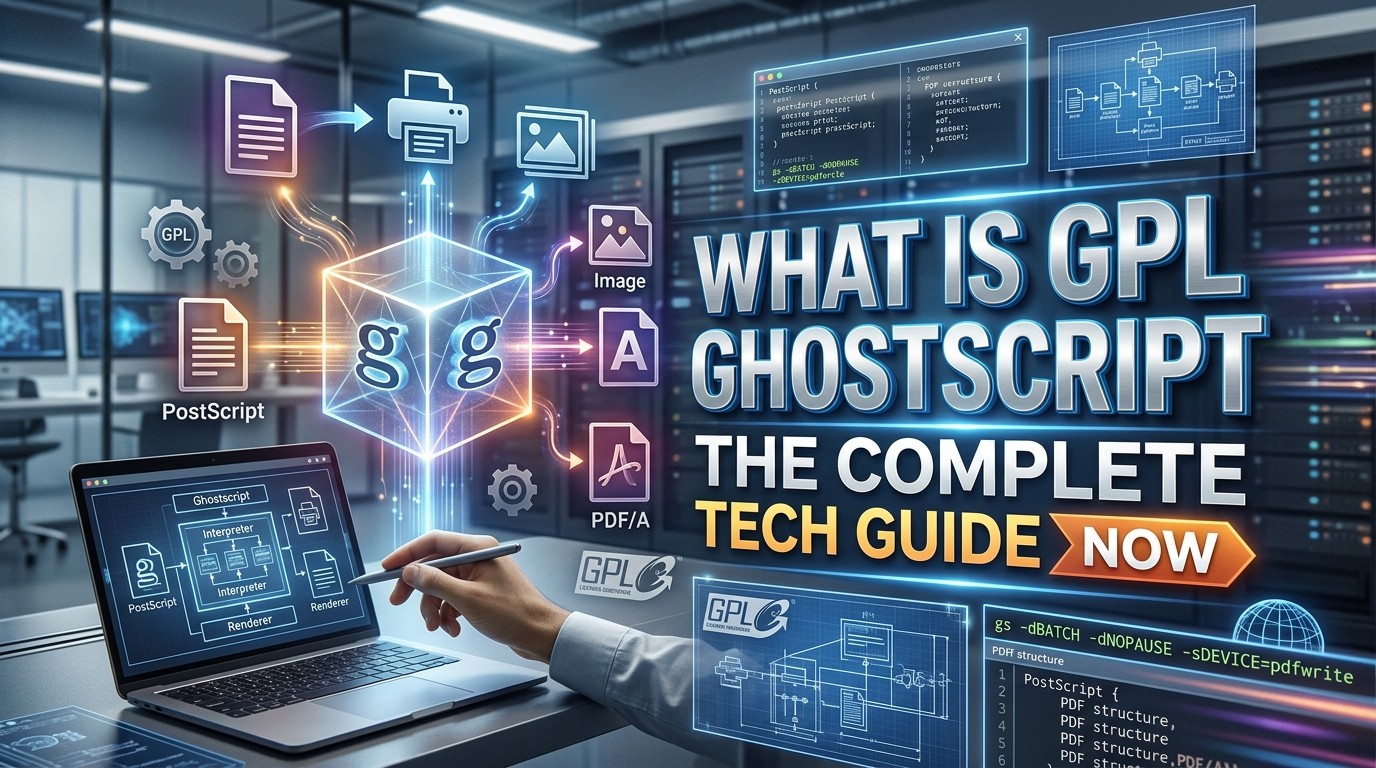
The official about page says Ghostscript consists of a PostScript interpreter layer and a graphics library. That means one part reads and interprets the page description language, while another part handles graphics output and rendering. When you hear people describe GPL Ghost Script as a document engine, that is what they mean: it processes page instructions and translates them into output devices or files.
The documentation and features pages also show that Ghostscript is not limited to one job. The site highlights PostScript 3 interpretation, PDF handling, conversion capability, anti-aliased graphics, color support, and portability across many environments. In practical terms, GPL Ghost Script is meant to be adaptable, which is part of why it appears in so many print and conversion pipelines.
There is also a performance and architecture story here. The Ghostscript blog describes a newer standalone PDF interpreter written in C as faster and more secure than its predecessor, which shows that the project continues to evolve rather than remaining frozen in an old workflow. That matters for any technical guide because it means GPL Ghost Script is an active codebase, not a museum piece.
What kinds of files it handles
Ghostscript’s core identity is tied to PostScript and PDF, but the broader GhostPDL family includes related interpreters for PCL and XPS. The current releases page lists Ghostscript for PostScript and PDF, GhostPCL for PCL5/PCL XL, GhostXPS for XPS, and GhostPDL as the source bundle that includes all of them. That family view helps explain where GPL Ghost Script sits inside a larger document-processing ecosystem.
For developers, that means Ghostscript is often the component you reach for when a system must read or render legacy page description languages. For operations teams, it means a document pipeline can support more than one format without building every parser from scratch. GPL Ghost Script has stayed relevant partly because it solves the conversion layer that many applications need but do not want to reinvent.
Where developers and businesses use it
You will most often find GPL Ghost Script in document workflows, print systems, conversion services, and archival processing. The official site frames Ghostscript as a solution for printing, conversion, and workflow automation, and its FAQ describes it as a rendering engine with broad page-description-language support. That means it can sit behind an application, quietly handling document transformations while the user sees only the final result.
This is also why publishers, tool builders, and platform teams keep it around. If a service needs to convert a PostScript submission to PDF, normalize document output, or render pages for viewing, GPL Ghost Script can help do that consistently. The broader the workflow, the more valuable that consistency becomes.
For organizations that care about reproducibility, Ghostscript is especially attractive because the documentation emphasizes portability and source availability. The project has been active for over 30 years and has been ported to multiple systems, which is a strong signal that it has been engineered for long-term utility rather than short-lived novelty.
Why GPL Ghost Script still matters in 2026
A lot of mature infrastructure software disappears from conversations when flashier tools arrive, but Ghostscript has not gone away. The official releases pages still advertise the latest AGPL and commercial downloads, and the documentation remains current enough to document both archival releases and development versions. That continued presence is a clue that GPL Ghost Script still plays a practical role in real systems.
The reason is simple: document conversion does not stop being necessary. Old files, print jobs, and PDF workflows keep showing up in enterprise and publishing environments, and tools that handle those tasks reliably stay useful. GPL Ghost Script remains one of those tools because it solves a narrow but persistent problem very well.
A quick feature comparison
| Component | Main job | Why it matters |
|---|---|---|
| Ghostscript | PostScript and PDF interpreter/rendering engine | Core engine for document conversion and rendering. |
| GhostPCL | PCL5/PCL XL interpreter/rendering engine | Useful for printer and legacy document workflows. |
| GhostXPS | XPS interpreter/rendering engine | Helps process Microsoft XPS documents. |
| GhostPDL | Bundle/source archive for the family | Makes the document-language family easier to manage. |
This table is helpful because it shows that GPL Ghost Script is not an isolated utility. It is part of a document-language family with different interpreters for different tasks. If your workflow only needs PDF and PostScript, Ghostscript may be enough. If you also need PCL or XPS, the larger family becomes relevant.
How to evaluate it before using it

Before you adopt GPL Ghost Script, ask two questions. First, what exact file types do you need to process? Second, how will the license affect your use case? The technical answer depends on the first question, while the legal answer depends on the second. Ghostscript’s official pages provide both the technical description and the licensing paths, which makes it easier to evaluate responsibly.
If you are evaluating it for internal use, you still want to confirm whether the AGPL release is suitable for your deployment pattern. If you are planning to distribute a product, ship a service, or embed the software, the commercial path may be more appropriate. The official FAQ and licensing page both point users to the licensing differences for exactly this reason.
Documentation, publishing, and the SEO angle
If you are writing a knowledge base article about GPL Ghost Script, structure matters. A Schema Markup Plugin can help search engines understand the article, while a Responsive SEO FAQ Plugin can make the question section cleaner on mobile devices. Those are publishing tools, not Ghostscript features, but they can improve how technical documentation is presented to readers. In a practical content workflow, the software topic and the publishing setup often work together.
For a guide like this, the goal is not just ranking; it is clarity. The better the article structure, the easier it is for readers to understand licensing, usage, and the difference between Ghostscript and older naming. That is especially useful for a topic like GPL Ghost Script, where users may arrive with partial information and need a clear path from confusion to understanding.
When documentation is well structured, it also reduces support questions. Readers can scan the overview, jump to licensing, and then use the FAQ section for quick confirmation. For technical topics, that kind of layout is often more valuable than dense jargon.
A practical mental model for teams
Teams often ask whether GPL Ghost Script should be treated as infrastructure, a dependency, or a conversion service. The safest answer is that it can be all three depending on the architecture. In a desktop app it may be a local dependency, in a server pipeline it may be an internal service component, and in a publishing system it may be part of the output stack. The project’s portability and long history make that possible.
For long-lived systems, the key question is maintainability. Because Ghostscript is still actively developed, and because its documentation remains current, GPL Ghost Script can still fit into modern systems when the legal and technical requirements are understood. The combination of open-source availability, commercial licensing, and a mature interpreter architecture is why it continues to show up in technical stacks.
Common misconceptions
One common misconception is that GPL Ghost Script is only for people who work with very old printers or legacy file types. That is too narrow. The official site still presents Ghostscript as a current solution for printing, conversion, and workflow automation, so the software is still relevant in modern pipelines, not only in historical ones.
Another misconception is that “open source” means the same thing as “do anything you want.” The Open Source Initiative’s definition says open source software must allow source availability, redistribution, modification, and derived works under the same terms, but it still operates under a license. GPL Ghost Script is a strong reminder that open source is structured freedom, not license-free chaos.
A third misconception is that the project has a single licensing story forever. In reality, the official pages now emphasize AGPL and commercial licensing, while older material may still show GPL Ghostscript naming. That historical difference is why current documentation should always be checked before you make deployment decisions.
Where GPL Ghost Script fits in a modern tech stack

In a modern stack, GPL Ghost Script usually belongs in the document-processing layer. It may sit behind an upload service, a print controller, a reporting system, or a conversion API. Its job is not to look fancy; its job is to reliably understand page descriptions and produce output that downstream tools can use. That quiet utility is exactly what makes it so durable.
That is also why it often shows up next to document workflow tools rather than consumer-facing design software. When a system needs to normalize output or render documents consistently, Ghostscript can become a dependable backend component. In that role, GPL Ghost Script is less like a finished product and more like infrastructure that keeps the rest of the system honest.
What to remember if you only remember three things
First, GPL Ghost Script is the common search phrase for Ghostscript, an interpreter for PostScript and PDF files. Second, the current official licensing is AGPL or commercial, not a simple “GPL-only” story. Third, the software remains relevant because it is still actively developed and continues to serve real document conversion and rendering needs. Those three facts capture the core of the topic without unnecessary noise.
Conclusion
GPL Ghost Script is best understood as Ghostscript, a mature PostScript and PDF interpreter that still powers real document workflows today. Its history explains the old name, but the current official pages are the source of truth for licensing and usage. The project sits at the intersection of engineering and policy: technically, it is a high-performance rendering engine; legally, it is offered under AGPL or commercial terms; practically, it remains useful wherever files must be converted, rendered, or processed reliably. If you are evaluating it for a project, the right approach is simple: understand the file types, read the current license terms, and choose the deployment path that matches your use case. That is the most accurate modern answer to GPL Ghost Script.
Frequently Asked Questions (FAQ)
1. What is GPL Ghost Script in one sentence?
GPL Ghost Script is the older search phrase for Ghostscript, a PostScript and PDF interpreter that is currently offered under AGPL or commercial licensing.
2. Is GPL Ghost Script the same as Ghostscript?
Yes, in practice the phrase usually refers to Ghostscript; older official release pages used the GPL Ghostscript name, while current pages use Ghostscript.
3. Is Ghostscript still open source?
Yes. The official site says it is available under an open-source AGPL license and also under a commercial license.
4. What file types does it handle?
Ghostscript focuses on PostScript and PDF, while the related GhostPDL family also includes PCL and XPS support.
5. Why do people use it?
People use it for printing, document conversion, and workflow automation because it is a reliable rendering engine for page description languages.
6. Does the GNU GPL License apply directly to today’s Ghostscript releases?
Not as a simple one-license answer. The current official pages describe AGPL and commercial licensing, while the GNU GPL is the broader copyleft framework that explains the project’s open-source heritage.
7. Is Ghostscript actively maintained?
Yes. The official site says it has been under active development for more than 30 years and continues to publish current documentation and releases.
8. What is GhostPDL?
GhostPDL is the source bundle that includes Ghostscript, GhostPCL, and GhostXPS in one archive.
9. Why does the AGPL matter?
The AGPL adds a network-use source-sharing requirement for modified software, which matters if you run Ghostscript in a server or hosted environment.
10. What is the safest way to evaluate GPL Ghost Script for a project?
Check the current official documentation and licensing pages first, then match the license to your distribution model and document-processing needs.